


Soccer Games: Soccer Stars
4.549.06K Reviews
App Specs
- Version
- 37.1.1
- Updated On
- License
- Free
- Downloads
- 100,000,000+
- Developer
- Miniclip.com
- Categories
- Sports
- Platform
- Android, iOS
Screenshots
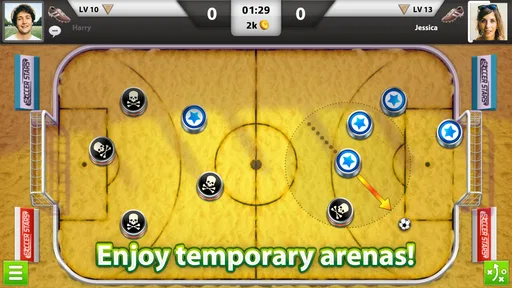
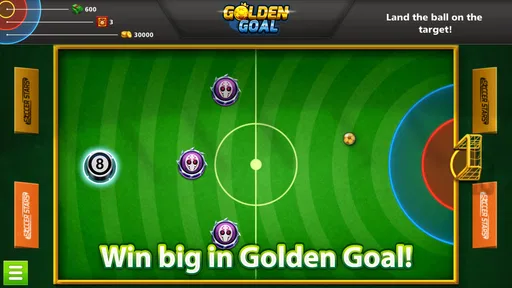
 Analysis by AppCompare
I like mobile sports games best when they get to the point quickly, and Soccer Stars has a clear appeal: it turns a soccer match into a compact contest of aim, timing, and anticipation. Instead of asking me to manage a full team or learn a complicated control scheme, it lets me focus on where to send the ball and how to outthink the other player. That makes it easy to try, though the simple premise leaves room for frustrating turns when a shot does not go as planned.
A small match with a surprisingly thoughtful rhythm
Soccer Stars is a free sports game from Miniclip.com, and its central idea is more about deliberate shots than realistic football simulation. I find that distinction useful when deciding what to expect: this is not a substitute for a console-style match with running, passing, and player switching. It is a quick, head-to-head game built around choosing an angle, taking a shot, and reacting to the board as it changes.
The basic interaction is approachable, but a good turn takes more than pulling back and releasing. I try to look beyond the obvious route to goal: a shot can move a ball into a better position, open a lane for a later attempt, or leave the opponent with an awkward reply. That extra layer is what gives a short match some tactical texture. If I treat every turn as a direct attempt to score, I miss the value of positioning and make the game feel more random than it needs to.
Where multiplayer earns its place
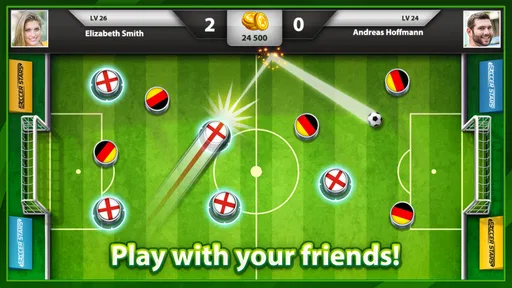
Playing another person is the strongest reason I return. An opponent can respond to the same layout in a way a predictable challenge cannot, so even a familiar situation can turn into a different contest. The game is especially handy when a friend and I have a few spare minutes: we can take turns, read each other’s intentions, and finish a small rivalry without setting aside an evening.
Random opponents make the experience less predictable, but they also mean the quality of a match depends on who is on the other side. Some games feel like a neat exchange of ideas; others can be less satisfying if the opponent’s pace or choices do not suit me. I would pick this for short competitive sessions, not as a reliable place to find a deep team-building league or a long, immersive season.
What the simple presentation does well
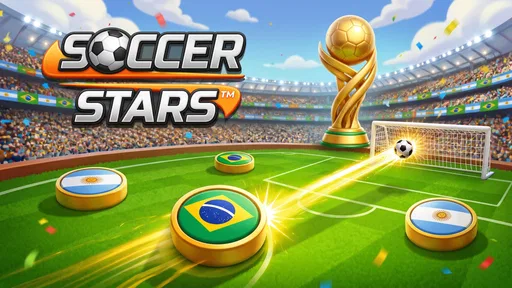
The clean, colorful look helps me follow the action without visual clutter. That matters in a game where small differences in angle and spacing are more useful than elaborate stadium detail. The presentation has a light arcade feel, and the familiar soccer cues make each shot easy to read. I do not come here for lifelike animation, but I appreciate that the board stays clear enough for me to plan a move.
The controls also reward restraint. A hurried swipe can send a shot somewhere I did not intend, so I get better results by pausing, checking the available path, and making a controlled pull rather than trying to rush through every turn. This is a practical habit for newcomers: use early matches to learn how the aiming gesture responds, and focus on placing the ball sensibly before chasing spectacular goals.
Worth Reading Before You Choose

Flipboard Shows What News Apps Must Do Beyond the Feed

Switching to Android Auto Means Rethinking Your Driving Routine

Google Calendar Makes a Crowded Week Easier to Manage

Ludo King Makes the Most of the Minutes Between Plans

Baby Panda World Brings Quick Play to Modern Phones, but Its Game Library Feels Busy

ESPN’s Live Game View Makes Following Close Games Easier
Progress, spending, and expectations
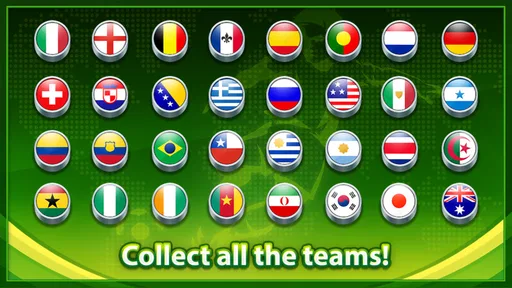
There is a progression loop alongside the matches, with new teams and customization giving wins a purpose beyond the final score. I enjoy having something to work toward, but I would keep that motivation separate from the question of whether the core game is fun. If unlocking options becomes the main reason to play, the matches themselves may start to feel like a chore. In-app purchases range from $0.49 to $119.99 per item, so I would be cautious about spending simply to speed up progress; the game is free to start, but optional purchases can become a substantial commitment.
The game is rated for Everyone, has an average rating of 4.6 from around 2.4 million ratings, and has passed 100 million installs. Those figures suggest a broad audience, but they do not guarantee that its turn-by-turn style will click for every soccer fan. The current version is 36.11.1, and it requires Android 6.0 or later. I would check that my device meets the requirement before downloading, especially if I am setting it up for a younger player.
Who should give it a try
I would recommend Soccer Stars to someone who wants short, competitive soccer-flavored games, enjoys lining up shots, and is happy to improve through repeated play. It can fit into a commute or a quiet break because a match is brief enough to enjoy without planning a long session. For a family member who likes taking turns and friendly rivalry, it can also be an easy game to explain: aim, choose a sensible move, and see how the opponent answers.
I would skip it if I mainly want to control a full eleven-player team, recreate real football tactics, or play a single-player career with a long narrative arc. A conventional football simulator is a better match for those goals. I would also be wary if competitive losses quickly spoil a casual session; playing against people adds excitement, but it can make the outcome feel less predictable than a fixed challenge.
For a quick everyday session, I might open it while waiting for a ride or during a break, play a match or two, and stop when I have had my fill. That small-scale use is where it makes the most sense. It is less suited to someone who wants a deep sports simulation or uninterrupted solo progression. Its strongest quality is that a simple shot can still ask for a little thought; its main trade-off is that the same simplicity can feel limited once I want more control over the flow of a football match.
First Impressions
From the moment I launched Soccer Stars, I was greeted with a vibrant and user-friendly interface. It's one of those games that doesn’t need a hefty manual to get started. The design is slick, the colors pop, and overall, it feels welcoming. What really caught my attention was how intuitive the controls are. You basically slide your fingers to aim and kick, making it easy to pick up but challenging to master.
Gameplay and Features
The heart of Soccer Stars lies in its addictive gameplay. The matches are fast-paced, typically lasting just a few minutes, which is perfect for those quick gaming breaks during the day. You start by playing as a simple team, but as you win matches, you can upgrade to better teams and customize your players. This progression system keeps you hooked, always wanting to play just one more game.
One of the standout features is the multiplayer mode. You can challenge friends or random opponents from around the world. The thrill of competing against real people adds an extra layer of excitement. Plus, there's a chat feature, so you can engage in some friendly (or not-so-friendly) banter during the match.
Graphics and Sound
The graphics in Soccer Stars are clean and crisp. While it might not boast hyper-realistic visuals, the simplistic style suits the game well. It’s easy on the eyes and doesn’t overwhelm with unnecessary details. The sound effects are spot-on too. The crowd cheers, the sound of the ball hitting the net, and the referee’s whistle all contribute to an immersive experience.
In-App Purchases
Now, let’s talk about the elephant in the room: in-app purchases. Yes, Soccer Stars offers various in-app purchases, ranging from coins to unlock new teams to cosmetic upgrades. While you can enjoy the game without spending a dime, some of the cooler features do require a bit of cash. It’s a double-edged sword, but hey, the developers need to eat too, right?
Community and Support
One of the underrated aspects of Soccer Stars is its community. There’s a strong online presence with forums and social media groups where players share tips and strategies. The developers also seem pretty responsive to feedback, which is always a good sign. If you ever encounter issues, there’s a comprehensive support section within the app to help you out.
Final Thoughts
All in all, Soccer Stars is a fantastic choice for anyone looking to enjoy some quick and exhilarating soccer action on their mobile device. Its combination of easy controls, engaging multiplayer modes, and a friendly community makes it a standout title in the crowded world of mobile gaming. So, lace up those digital boots and give it a go. You might just find yourself hooked!
Pros
- Simple controls for easy gameplay.
- Quick matchmaking with global players.
- Minimalistic design with smooth graphics.
- Offline mode available for practice.
- Regular updates with new features.
Cons
- Limited customization options.
- Ads can be intrusive at times.
- In-app purchases can be pricey.
- Some connectivity issues reported.
- Requires internet for most features.
FAQs for Soccer Games: Soccer Stars
What are the main features of Soccer Stars?
Soccer Stars offers a unique blend of arcade and strategic play. It features simple controls, allowing players to flick their way to victory. The game supports multiplayer matches, both locally and online, providing an engaging social experience. Additionally, it includes various tournaments, customizable teams, and a global ranking system.
Is Soccer Stars free to play?
Yes, Soccer Stars is free to download and play on both Android and iOS platforms. However, it offers in-app purchases for various items such as additional team customizations, special tournaments, and power-ups. Players can still enjoy the core game without spending money, but purchases can enhance the experience.
How does multiplayer work in Soccer Stars?
Soccer Stars supports both online and local multiplayer modes. Players can compete against friends or random opponents worldwide through the online mode. The game uses a matchmaking system to pair players of similar skill levels. Additionally, local multiplayer allows two players to compete on the same device, making it perfect for on-the-go play.
What customization options are available?
Soccer Stars offers a variety of customization options. Players can personalize their teams with different colors, logos, and formations. Additionally, the game provides collectible items such as special balls and team badges, enhancing the visual appeal and offering a sense of personalization. These options can be unlocked through in-game achievements or purchases.
Are there any special events or tournaments in Soccer Stars?
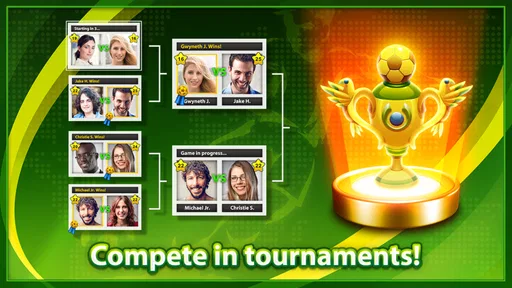
Yes, Soccer Stars regularly hosts special events and tournaments. These events offer unique challenges and rewards, encouraging players to participate actively. Tournaments vary in difficulty and theme, providing something for both casual and competitive players. Engaging in these events can earn players exclusive items and improve their global ranking.


